
GoPass ®
GoPass AppMaps & Navigation
4.84.03K Reviews
- Version
- 4.12.0
- Installs
- 500.00K
- Age Rating
- Everyone
Screenshots
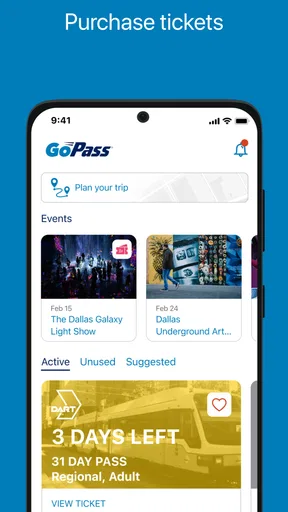
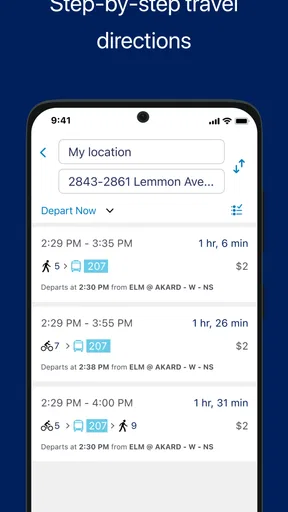
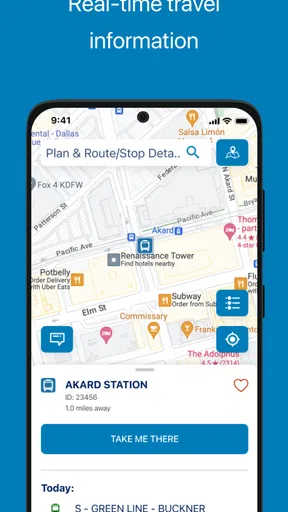
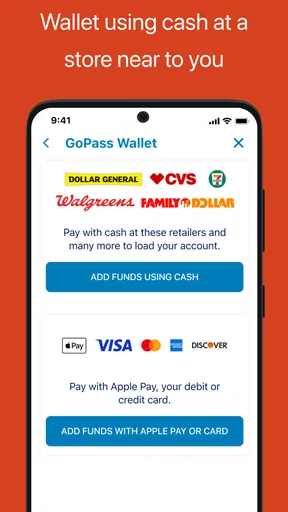
Our Review of GoPass ®
 Analysis by Appyee
I tried GoPass as a practical transit companion rather than treating it like another general-purpose map. Its purpose is narrower and more useful: it is a free Maps & Navigation app from GoPass App built around paying for and riding public transportation. That focus makes it appealing when your daily travel already fits its supported system, but it also means the app should be judged by how well it handles a real trip, not by how many unrelated map features it offers.
The first thing that stood out to me is the difference between finding a route and actually managing a ride. A conventional map is often excellent at showing directions, walking connections, and estimated travel time. GoPass is more relevant at the point where transportation becomes a transaction. If I am preparing to board, the useful question is not only “Which way do I go?” but also “How do I pay and get moving without adding another unnecessary step?” That is the space this app is designed to occupy.
Using GoPass when the journey matters more than the map
I find that a transit payment app earns its place by making the moments around boarding feel less hurried, not by trying to answer every route question. In this section, I look at how to fit GoPass into a journey without relying on it for more than it is meant to do, then consider what a first-time rider should check before depending on it.
A focused approach to paying and riding
The store summary describes GoPass as a better way to pay and ride, and that short description captures its intended role without pretending it is a universal replacement for every navigation tool. I would open it when public transport is the center of the journey, especially when I want the payment side of the trip close at hand. For a person who already knows the local network, that can feel more direct than opening a broad map app, searching for a destination, and then working out how the fare is handled separately.
That distinction is important for visitors and occasional riders. A general map may be the better starting point when I do not know which line, stop, or transfer I need. GoPass becomes more useful once the transportation choice is clear and I need a smoother way to complete the ride. In other words, I see it less as a replacement for every navigation app and more as a specialized layer for the part of travel that begins when I decide to use public transit.
The app is listed as free, so there is no purchase price to weigh against its usefulness. That makes trying it straightforward: I can install it without committing money and decide whether it fits my local travel habits. Free access does not automatically make an app valuable, though. The real value depends on whether the services I use are supported and whether the payment workflow is more convenient than my current routine.
I also appreciate that the product is presented for Everyone rather than being framed as a specialist tool for experienced commuters. That matters because transit payment can be intimidating when I am unfamiliar with a city or system. A simple, focused app has the potential to reduce the number of decisions I need to make at the station or before boarding, even though the quality of that experience will naturally depend on the transit environment around me.
A realistic morning trip
Imagine a weekday morning when I am heading from home to an appointment across town. I already know I need public transportation, but I do not want to search for a ticket machine, handle cash, or switch between several unrelated tools while people are waiting behind me. I would use a map service to understand the route if necessary, then turn to GoPass for the ride-related part of the plan. The benefit is not dramatic navigation magic; it is reducing friction at the moment when I need to pay and board.
That workflow also changes the way I prepare. Instead of waiting until I am standing at the stop, I would open the app earlier, check the available ride and payment path, and make sure I understand what I need before leaving. This is one of my strongest practical recommendations: treat GoPass as a preparation tool, not something to explore for the first time while a vehicle is arriving. A few seconds of planning can be more valuable than any clever feature because it prevents a rushed decision at the curb.
For a regular rider, that preparation can become a habit. I would keep the app in the same place on my phone, use it before recurring journeys, and avoid assuming that a familiar route means every payment step can be improvised. Transit routines are often predictable until a transfer, schedule change, or busy station makes them less so. A dedicated ride app is most useful when it supports a calm routine rather than becoming another source of last-minute searching.
What the current release says about upkeep
The current version is 4.12.0, and the app requires at least iOS or Android 10. That minimum operating-system requirement is worth checking before installation, particularly if I am using an older phone that still handles other navigation apps comfortably. A device can be perfectly adequate for maps and still fall outside the supported range for a newer transit application.
The app has been available since September 9, 2013, which gives it a longer history than a newly launched travel tool. I do not treat age alone as proof of quality, but it does suggest that GoPass has had time to remain part of the mobile transit landscape. The important practical takeaway is to keep the application updated and verify compatibility before an important trip rather than discovering an installation problem at the station.
How it compares with ordinary alternatives
My usual comparison is with three alternatives: a general map app, a transit operator’s own tool, and physical or station-based payment methods. General maps are usually stronger for discovering a route across several transport types. An operator-specific app may be more authoritative for one network’s schedules, service notices, or account details. A physical card or ticket can be preferable when I want a backup that does not depend on opening an app at the right moment.
GoPass has a clearer advantage when I want a dedicated mobile path for paying and riding without asking a broad navigation app to do everything. Its narrower purpose can make the experience easier to understand. The trade-off is that I should not expect it to replace a route planner, a local service-alert source, or a physical fallback in every situation. The best setup may be GoPass alongside another map rather than GoPass instead of every other travel option.
That is also why I would not recommend choosing it solely because its average rating is 4.8 from around 43 thousand ratings. Those figures show strong user approval, but a high rating cannot answer the most personal question: whether the app covers the transit services I actually use. Ratings help establish that many people find it worthwhile; they do not remove the need to check local relevance.
Small habits that make the app more useful
My first tip is to separate route discovery from fare preparation. If I am traveling somewhere unfamiliar, I would plan the route with the tool that explains transfers most clearly, then use GoPass for the payment-and-ride portion. This avoids forcing one app to solve two different problems and gives me a clearer backup plan if the route changes.
My second tip is to prepare before reaching the boarding point. I would not wait until the vehicle is visible to decide how the app fits into the journey. Opening it ahead of time lets me notice any sign-in, payment, or device issue while I still have time to use another method. This is especially useful for occasional riders, who may remember the destination but forget the practical steps involved in paying.
My third tip is to keep a fallback for important trips. A phone-based payment tool is convenient, but a dead battery, poor connectivity, or an unexpected account problem can turn convenience into stress. I would carry whatever alternative the local transit system accepts, particularly when I am traveling to an appointment, airport, exam, or work shift. This is not a criticism unique to GoPass; it is a sensible trade-off whenever a physical ride depends on a mobile device.
A fourth useful distinction is between regular use and one-off use. If I ride often and GoPass fits my network, the repeated reduction in small hassles can justify keeping it installed. If I take public transit only once, I may gain more from a general route planner and the operator’s official instructions than from learning a separate payment workflow. The free price makes experimentation easy, but my time still has value.
Where the experience may feel limited
The focused design can become a limitation when my needs extend beyond paying and riding. I would be cautious about relying on it as my only source of navigation for a complicated journey involving walking, cycling, driving, or several unrelated operators. A broader map may explain the complete door-to-door route better, while GoPass may remain useful for the transit transaction itself.
I would also avoid assuming that a good rating guarantees a smooth experience in every location. Public transport is local by nature. Coverage, accepted services, and the exact payment process can vary according to the network I am trying to use. Before depending on the app for a time-sensitive journey, I would confirm that my intended ride appears in the app and that I understand what happens after payment.
The minimum operating-system requirement is another practical filter. Anyone using an older device should check compatibility first rather than planning a trip around an app that cannot be installed. Even on a supported phone, I would prefer to test the workflow during a low-pressure journey. That gives me a chance to learn the interface and identify any friction without a missed connection hanging over me.
There is also a psychological trade-off. A dedicated app can make transit feel simpler, but it can encourage overconfidence if I stop checking the wider journey. I would still pay attention to the stop, direction, transfer point, and local instructions. GoPass can support the ride; it should not replace basic travel awareness.
Who is likely to get the most value
I think GoPass is best for people who regularly use public transportation in a supported environment and want payment to be part of the same mobile routine as riding. Commuters, students, and residents who repeat similar journeys are the clearest audience because they can benefit from familiarity. The free price also makes it reasonable for occasional riders to test without financial risk.
It may be particularly helpful for someone who dislikes handling tickets at the last moment. If the app fits the local system, preparing the ride on the phone can remove one layer of uncertainty from a busy commute. I would also consider it useful for people who prefer a dedicated travel tool rather than keeping every transit task inside a large, multipurpose application.
On the other hand, I would skip it as a primary solution if I only need turn-by-turn directions, if my trips rarely involve public transportation, or if I already have a reliable operator-specific payment method that does everything I need. I would also hesitate if my phone cannot meet the operating-system requirement or if I cannot maintain a dependable backup for critical journeys. Free does not mean every user should add another app to an already crowded travel routine.
My value judgement before installing
Because GoPass is free, the decision is not about recovering a purchase cost. It is about whether the app saves enough time, uncertainty, or effort to deserve a place on my phone. I see genuine value when it makes a recurring transit payment routine more direct. I see little value when I need it to perform broad route planning or when my local transport habits are too infrequent to justify learning another workflow.
The developer is GoPass App, and the product has reached over 500 thousand installs. That level of adoption, together with the strong average rating, makes the app worth considering rather than dismissing as an obscure experiment. Still, I would use those signals as a reason to test it, not as a substitute for checking whether it matches my own network and travel pattern.
My final recommendation is to try GoPass ® if your priority is a simpler way to pay for and take public transportation, especially if you ride often. Start with a non-urgent trip, compare its workflow with your current method, and keep a backup for important journeys. If what you really need is complete door-to-door navigation, a local service-alert tool, or a payment method independent of your phone, another option may serve you better.
In my experience, the app’s strength is its focused promise: it treats paying and riding as the central problem instead of burying that task inside a general map. That makes it a sensible free addition for the right commuter, but not an automatic replacement for every travel app or ticketing option. The best reason to install it is practical fit, not the rating alone.
Verdict
Strengths of GoPass ®
- Quick access to digital tickets and passes in one place.
- Useful for managing event, travel, or membership passes on the go.
- Reduces the need to carry printed tickets or physical cards.
- Pass details can be checked directly from a mobile device.
- Convenient for users who frequently use participating services.
Limitations of GoPass ®
- Availability depends on participating operators and supported services.
- Some features may require an internet connection or account login.
- Compatibility can vary between Android and iOS devices.
- A lost or damaged phone may make stored passes temporarily inaccessible.
- Notifications and updates may depend on device and app permissions.
Similar Picks in This Category
View All
Uber - Request a ride
Uber Technologies, Inc.4.7


inDrive. Rides with fair fares
® SUOL INNOVATIONS LTD4.8

Yandex Go: Taxi Food Delivery
Mikromobilnost LLC Belgrade4.8

Bolt: Request a Ride
Bolt Technology4.8

Rapido: Bike-Taxi, Auto & Cabs
Rapido Bike Taxi4.8
Frequently Asked Questions
What is GoPass® and what can I use it for?
GoPass® is a digital pass and ticketing application designed to help users access participating services, events, transportation options, or other supported activities from a mobile device. Depending on your location and the provider connected to the app, you may be able to purchase passes, display tickets, manage account details, and review usage information without carrying a physical pass. Available features can vary by region.
Is GoPass® available for both Android and iPhone?
GoPass® may be available for Android and iOS devices through their respective official app stores, although availability can depend on your country, device model, and the specific GoPass® service offered in your area. Before downloading, check the store listing carefully for supported operating-system versions, developer information, ratings, permissions, and whether the app is compatible with your phone.
Do I need to create an account to use GoPass®?
Most GoPass® functions generally require an account, particularly when purchasing passes, saving payment details, restoring tickets, or accessing them across devices. Registration may involve an email address, phone number, password, and sometimes verification information. Some users may be able to browse services without signing in, but an account is usually necessary to complete purchases and manage active passes.
Can I use GoPass® without an internet connection?
GoPass® may require an internet connection when you sign in, buy a pass, update account information, or synchronize ticket data. Some passes or tickets may remain available offline after they have been successfully downloaded to the device, but this depends on the provider’s rules and the type of pass. It is wise to open the app before traveling or attending an event.
Is GoPass® safe to download and use?
GoPass® should be downloaded from the official Google Play Store or Apple App Store rather than from unofficial websites or modified APK files. Review the listed developer, requested permissions, privacy policy, and recent user feedback before installing. Because the app may process account and payment information, use a strong password, keep your device updated, and avoid sharing screenshots containing ticket or personal details.
